Project · 2026
Zermiam
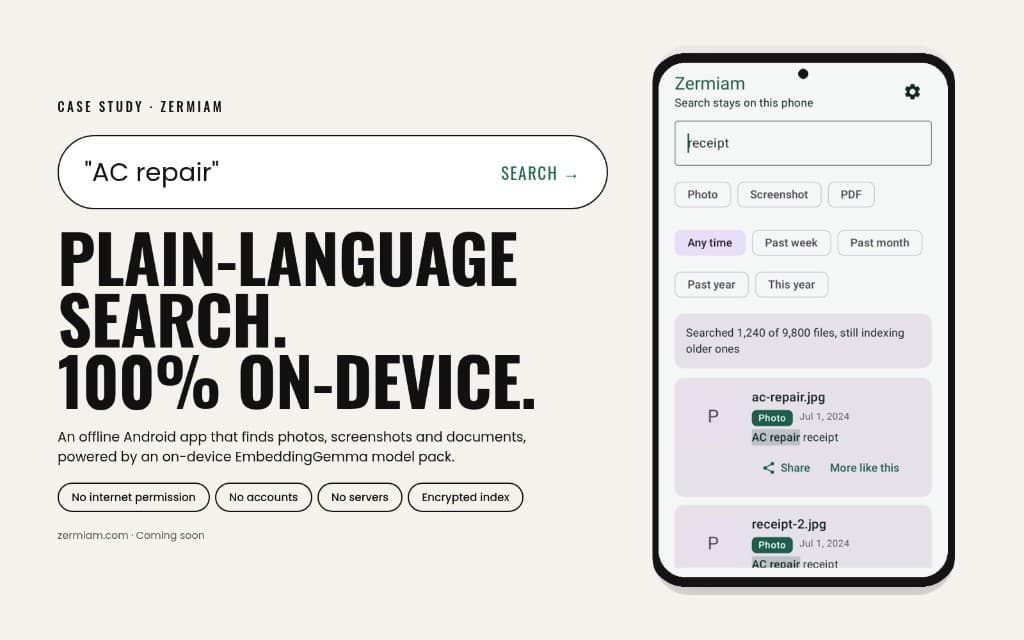
Zermiam finds that old photo, screenshot, or document on your phone in seconds — entirely on-device, with nothing ever leaving your phone.
- Role
- Founder · Android
- Year
- 2026
- Status
- In development
- Focus
- Android, On-device AI, Privacy
The problem
I felt the need for this the day I tried to find one photo from a summer trip. It was me, holding a non-alcoholic beer, in front of a frame on the wall that said, “Smoking causes cancer, alcohol causes dancer.” I knew exactly what it looked like. Search still could not find it.
Apple Photos does this pretty well. You look for a picture by the words you remember. On Android, there was nothing like that. The tools that can search by description usually upload your files to a server, and that is a real worry for private things like IDs, bank screenshots, or family photos. So I started to build one. It is an era of AI, and making the thing you want has never been this easy.
The approach
I built Zermiam, an Android app that lets you describe a file in plain words and finds it, with everything happening on the phone. The app has no internet permission at all, so nothing can leave the device. There are no accounts, no servers, and no analytics.
A small AI model runs on the phone to understand what is in each image. On-device text recognition reads the words in screenshots and documents. The search index is encrypted on the phone, and backups are encrypted with a key only the user holds.
Setup is one tap. Allow photo access and indexing starts, newest files first, so search becomes useful within minutes.
The outcome
On a Samsung Galaxy, Zermiam indexed a library of over 5,000 files, and none were skipped. The first 500 were searchable in under a minute, and the battery barely moved. The AI model now runs on the phone’s graphics chip, so search understands what is in your photos, not just the words in them.
The app also has a fingerprint lock, encrypted backup and restore, a one-tap “Delete everything,” and a privacy check screen that shows its own status. Next, I am working on faster indexing with the AI turned on, and a full accuracy test.
Next project
Soverm